

Radiology Core QBank: NIS & RISC 2026
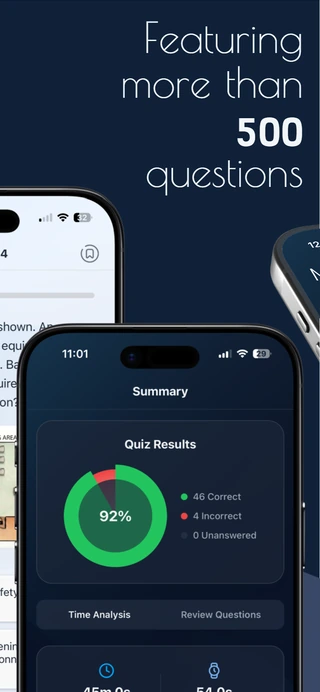
Prepare for the ABR Core and Certifying Exams with over 500 practice questions covering Non-Interpretive Skills (NIS) and Radioisotope Safety Content (RISC), based on the 2026 ABR study guides.
Study on the web, iPhone, iPad, or Android with the same QBank account. Review detailed explanations, save notes and highlights, and build flashcards as you go. Your progress stays with your account.
Choose your QBank
Study on the web, iPhone, iPad, or Android with the same account.
NIS QBank
Non-Interpretive Skills
RISC QBank
Radioisotope Safety Content
NIS + RISC
Both QBanks in one subscription
Select a subscription length above. You’ll sign in to your QBank account before payment.
Core QBank accounts are personal. Simultaneous sessions may be limited by device class. Signing in on another device of the same class may require the previous session to sign in again; your subscription stays active.
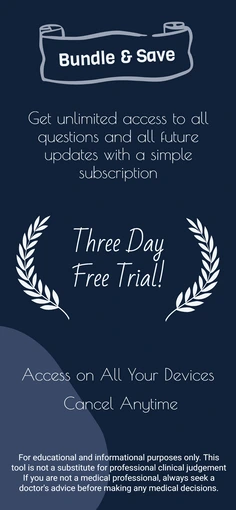
Your subscription renews automatically for the term you choose. You can manage or cancel it anytime from your account settings.
Each subscription is for one person. See our Terms of Use and Privacy Policy.
One QBank account. Your choice of screen.
Start in your browser or use the mobile app. Sign in with the same QBank account to keep your progress, notes, highlights, flashcards, and flagged questions together.
Study on the web
Open Core QBank in your browser and sign in with your QBank email. Web study requires an internet connection.

Prefer your phone or tablet?
Download the app for iPhone, iPad, or Android and sign in with the same account. App Store and Google Play subscriptions are also available; manage those purchases through the store where you bought them.


Studying together?
Buy for two or more people and save up to 50%. Add each person’s QBank email at checkout. They can create their account later using that email.
Already have access?
Sign in with the QBank account you already use. If your group provides access, use the email assigned to your seat.
Built for Active Learning, Not Just Passive Review
Core QBank is designed for residents who want to do more than answer questions and move on. Alongside tutor and quiz modes, use highlights, rich-text notes, and personalized flashcards to turn the material you review into your own study resources.
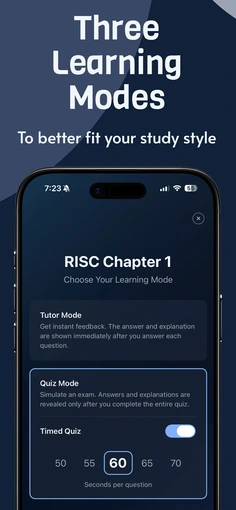
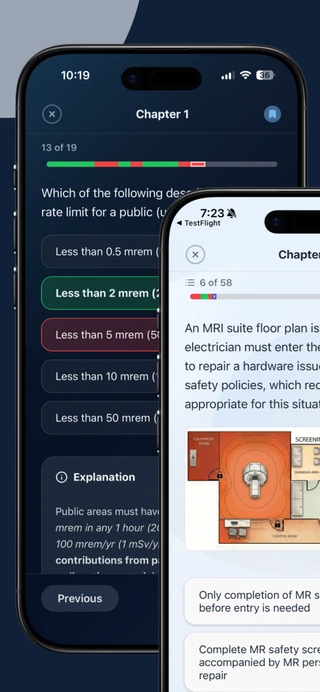
Multiple Study Modes: Use Tutor Mode for immediate feedback with detailed explanations, or switch to Quiz Mode for timed or untimed exam-style sessions.
Highlights directly from explanations and summaries: Select important text while reviewing high-yield content and save it as a highlight for later review. This makes it easier to focus on the exact rules, definitions, and teaching points you do not want to forget.
Rich-text notes tied to what you are studying: Save personal notes while reviewing NIS and RISC content instead of keeping scattered reminders in separate apps. Notes support formatting and can preserve source context when needed, making last-minute review more efficient.
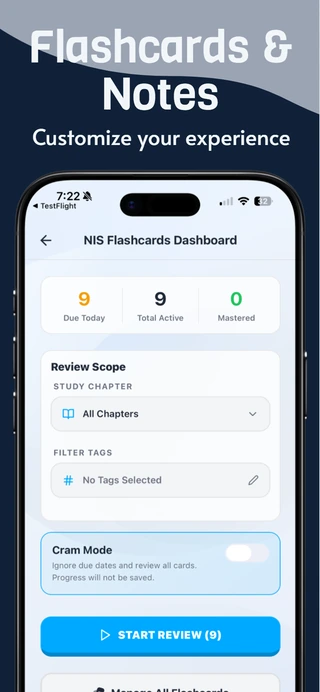
Flashcards created from selected content: Turn key passages into editable flashcards with separate front and back fields. This makes it easy to convert explanations, summaries, and high-yield facts into a personalized review deck built around your weak points.
Spaced repetition review: Flashcards are designed for repeated review over time rather than one-time memorization, helping you revisit difficult material in a more structured way as exam day approaches.
Searchable study tools: Your saved flashcards and study material can be searched when you need a focused refresher before a quiz block, conference, or exam review session.
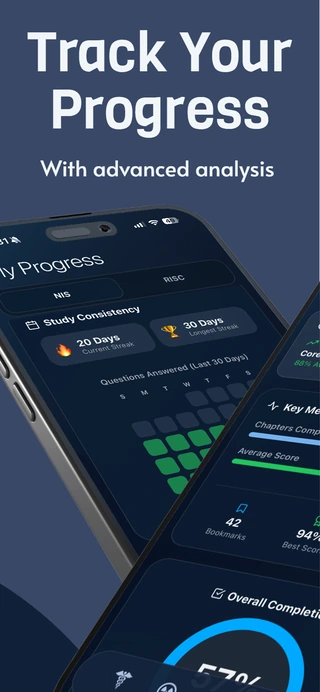
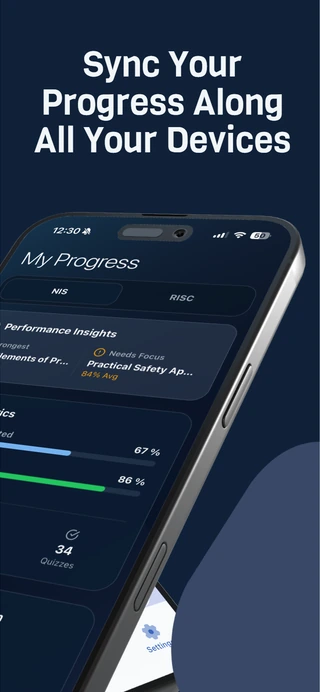
Advanced progress tracking: Monitor performance, track completed chapters, and identify weaker areas with detailed statistics so you can use your study time more efficiently.
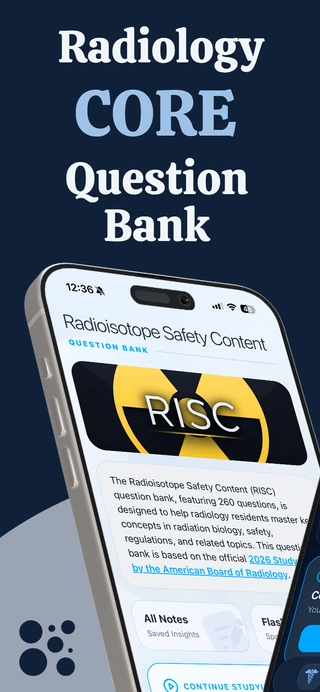
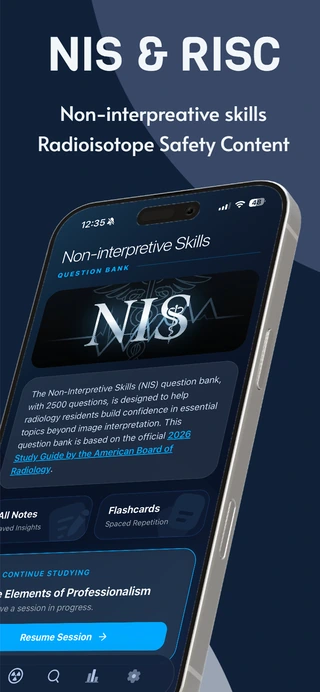
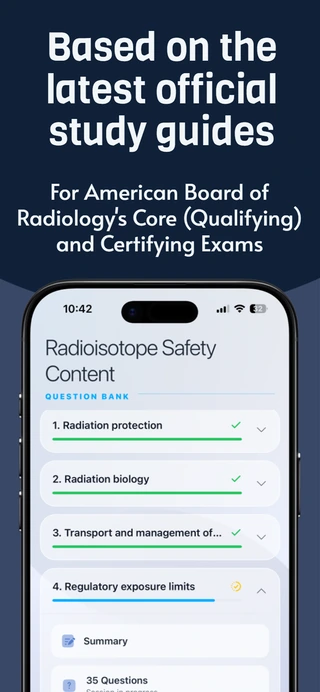
A look at the mobile app
What Topics Are Covered?
Radioisotope Safety Content (RISC)
250+ High-Yield Questions- Radiation protection
- Radiation biology
- Transport and management of radioactive materials
- Regulatory exposure limits to radioactive materials
- Radiopharmaceutical administration
- Administrative/practice regulations, responsibilities and training
- Emergency procedures, accidents/incidents, special circumstances
Non-Interpretive Skills (NIS)
250+ High-Yield Questions- Core elements of professionalism
- Core concepts of quality and safety
- Practical quality and safety applications in healthcare
- Practical safety applications in radiology
- Reimbursement, regulatory compliance, and legal considerations in radiology
- Core concepts of imaging informatics
Advanced Study Features
Study Modes
Adapt your workflow to how you want to learn- Use Tutor Mode for immediate feedback with detailed explanations after each question
- Simulate exam conditions with timed quiz sessions
- Switch to untimed quizzes for focused review without time pressure
Notes
Create your own review layer inside the QBank- Write rich-text notes while studying NIS and RISC content
- Keep high-yield reminders, tricky distinctions, and personal takeaways in one place
- Optionally preserve source context to make review more meaningful later
Flashcards
Build a personalized spaced repetition deck- Create editable flashcards from selected text in the QBank
- Edit both the front and back of each card to match your own study style
- Review cards over time with a structured repetition workflow instead of passive rereading
Highlights
Mark high-yield text exactly where you find it- Select text directly from explanations and summaries
- Save important facts, definitions, and rules for later review
- Use highlights to build a more focused second-pass study workflow
Turn Explanations Into Review Material in Seconds
Study tools are built directly into Core QBank. Instead of copying text into a separate notes app or trying to remember which explanation contained an important rule, work directly in the QBank while the content is still fresh.
Select a key passage from an explanation or summary, then choose how you want to use it. You can highlight it for later review, save it as a note, or convert it into a flashcard that can be edited and reviewed again over time. This makes it easier to turn passive reading into active recall and spaced repetition without interrupting your study session.
For radiology residents preparing for the ABR Core Exam, that matters. NIS and RISC often contain dense factual material, edge-case rules, and easy-to-miss details that benefit from repeated exposure. Built-in highlights, notes, and flashcards help you capture those details while you are studying instead of hoping you remember them later.
Frequently Asked Questions
Is the content aligned with the latest ABR study guides?
Yes. The question bank is developed in strict alignment with the most recent American Board of Radiology (ABR) study guides. We update the question bank annually to reflect the most recent changes to ensure you are studying the right material.
What is the difference between Tutor Mode and Quiz Mode?
Tutor Mode is designed for active learning. It shows you the correct answer and a detailed explanation immediately after you answer a question. Quiz Mode simulates a real exam environment, allowing you to answer a block of questions in timed or untimed format and review your results and explanations at the end.
Do you offer discounts for residency programs?
Yes. Our group purchase options offer automatic volume discounts for two or more people. Enter each person’s QBank email when placing the order; they can sign in or create an account with that email to use their access.
Does my subscription work across multiple devices?
Yes. Sign in with the same QBank account on the web, iPhone, iPad, or Android to use your access. Manage personal website subscriptions from your QBank account settings. For a group purchase, the purchaser can manage the subscription on RAD at Hand; recipients receive study access. For subscriptions purchased in the App Store or Google Play, manage billing in that store.
How detailed is the progress tracking?
Core QBank tracks your overall accuracy, best scores, and completed chapters. Use the progress breakdown to identify weaker areas and focus your study time before the Core Exam.
Can I mark difficult questions to review later?
Yes. During any Quiz or Tutor session, you can bookmark specific questions that you find challenging. These saved questions are stored in a dedicated review section, making it easy to return to them without digging through the entire QBank.
Will my study progress sync across my devices?
Yes. Sign in with the same QBank account to sync your progress, quizzes, notes, flashcards, highlights, and flagged questions across the web and mobile apps.
How do I report an issue or give feedback on a question?
On the web, use Report issue while reviewing a question. In the mobile app, shake your phone to open the feedback tool. Tell us about a typo, unclear explanation, or other question issue.
Can I create flashcards directly from the material I am studying?
Yes. Create personalized flashcards directly from content you are reviewing in the QBank. Edit both sides of each card to match your study style, then review them over time.
Can I highlight text inside explanations and summaries?
Yes. Highlight important passages in explanations and chapter summaries to mark facts, definitions, and rules you want to revisit.
Can I save personal notes while I study?
Yes. Use the QBank’s note-taking tools to save reminders, tricky distinctions, and personal takeaways while reviewing NIS and RISC material. Your notes stay tied to your study content.
Are flashcards just static cards, or can I review them over time?
Flashcards are designed for repeated review, giving you a more active way to revisit weaker areas over time instead of relying only on passive rereading.
Subscriptions: Choose 3 months, 6 months, or 1 year of access to NIS, RISC, or both. Subscriptions renew automatically until canceled. Manage personal website subscriptions from your QBank account settings; group purchasers can manage their subscription on RAD at Hand. Manage App Store or Google Play subscriptions in the store where you purchased them. Use the same QBank account to study across the web and mobile apps.
Important Medical Disclaimer: This application is intended for educational and informational purposes only and should be used exclusively by qualified medical professionals. It is not a substitute for professional clinical judgment. Always seek a doctor’s advice in addition to using this app and before making any medical decisions.